
5 Useful Figma Tricks that Save Your Time
Figma is an amazing design tool that helps designers to convert ideas into beautiful designs with much ease and efficiency.
Figma is an amazing design tool that helps designers to convert ideas into beautiful designs with much ease and efficiency.
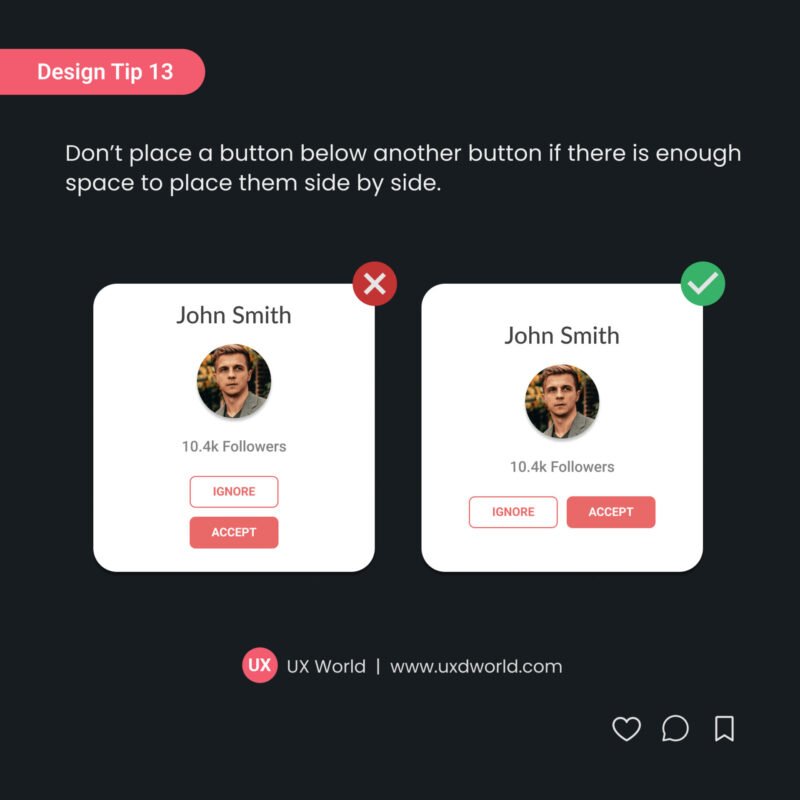
Don’t place a button below another button if there is enough space to place them side by side. See more design tips. Want to Learn UX Design? Thanks for reading. Subscribe for more related articles at UX World. If you have any …

A UX designer defines how a user feels while interacting with your digital product. This post describes skills that require to become a passionate UX designer.

What is a Progress Indicator? When users are working on a product, it is common that they are required to wait for some time after an action to get a response. The progress indicators help enhance the user experience of …
Best Practices for Designing Progress Indicators Read More »

The importance of UX design has increased tremendously over the past few decades. However, to keep your products updated and leading the market, it is important to conduct necessary redesign.

SEO practices make it possible to rank your site higher in search results. Providing an engaging user experience results in user satisfaction and retention.

Figma is a great design tool and I like the ease of use it provides to the UX designers to create effective design screens and prototypes. While exploring the Figma tool, I realized that using Figma plugins makes my work …
The most important step towards designing dashboards is to know about the audience for whom you are creating the dashboard and what value will it provide to them.
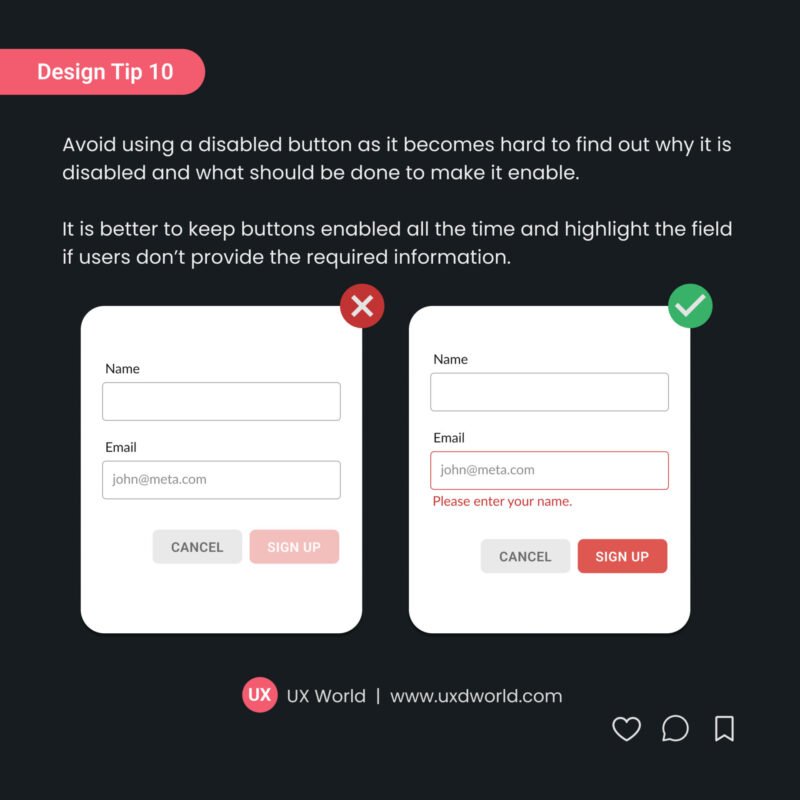
While designing the UI, avoid using a disabled button as it becomes hard to find out why it is disabled and what should be done to enable it. It is better to keep buttons enabled all the time and highlight …
Design Tip #10 – Don’t Use Disabled Buttons on UI Read More »